
Multilingual Live Captions for Inclusive Classes
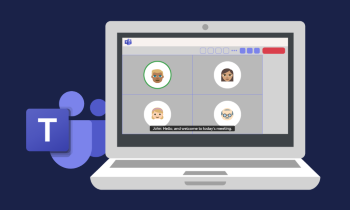
Use Microsoft Teams or Google Meet live caption and translation features to provide real-time multilingual captions during lessons, making content accessible to all learners.
DigCompEdu Competence Area(s)
Digital resources, Empowering learners
Time
Preparation time 10 minutes
Implementation time 30 minutes
Educator Progression Level
Explorer
Target groups
Whole class – Any subject
Minimum student digital skill level
Basic
Minimum student language level
A2
🎓 Learning Objectives
- Enable and use live captions during an online or hybrid lesson.
- Adjust caption language settings to support multilingual learners.
- Reflect on how captions improve comprehension and accessibility.
Ingredients
| Item / Resource | Quantity | Purpose |
|---|---|---|
| Video conferencing platform (e.g. Microsoft Teams Google Meet) | 1 per class | Deliver live captions during lessons |
| Lesson content or presentation | One per session | Content for the captioned lesson |
| Devices with internet access | One per learner | Access the platform |
Utensils
Devices with internet access and accounts on the chosen video conferencing platform.
🥣 Preparation – Before Implementation
- Enable live captions and translation in the video conferencing platform.
- Test the feature with a short recording to ensure accuracy.
🔥 Implementation Steps
- Enable live captions at the start of the lesson and demonstrate how to turn them on.
- Learners adjust caption language to their preferred language if available.
- Conduct the lesson as normal, encouraging learners to use captions to follow along.
- Debrief by discussing how captions helped comprehension and any inaccuracies noticed.
🧂 Differentiation & Inclusion
- Allow learners to choose their preferred caption language for L1 support.
- Provide a printed transcript for learners who prefer reading over live captions.
🍴 Assessment & Feedback
| Criterion | Excellent | Good | Needs Work |
| Use of captions | Actively uses captions and reports improved comprehension | Uses captions occasionally with some benefit | Rarely uses captions or reports no benefit |
| Reflection on accessibility | Provides detailed reflection on how captions supported learning | Reflects briefly with some insight | Provides minimal or no reflection |
⚠️ Ethics, Privacy & Safeguarding
- Inform learners that live captions are AI-generated and may contain errors.
- Ensure recordings with captions comply with data protection and consent requirements.
🍱 Extensions / Follow‑Ups
Ask learners to compare live captions with a manually prepared transcript.
🔗 Cross‑Subject Link
Use in science or history lessons to support comprehension of complex content.
References & Resources
Microsoft Teams and Google Meet offer AI-powered live captions and real-time translation, making lessons more accessible for multilingual learners and those with hearing difficulties.
https://support.microsoft.com/en-us/topic/use-live-captions-in-microsoft-teams