
Using Claude for Formative Assessment & Feedback
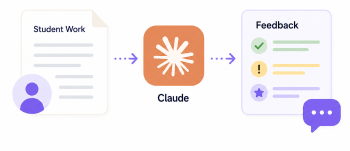
Use Claude to create simple, clear, and supportive feedback and formative assessment prompts for (adult) learners during the learning process. It’s important to note, formative assessment happens during learning. It focuses on progress and next steps, supports reflection, understanding, and improvement and avoids grades or judgement
DigCompEdu Competence Area(s)
Assessment
Time
Preparation time 10 minutes
Implementation time 20 minutes
Educator Progression Level
Explorer
Target groups
Adult Learners
Minimum student digital skill level
Basic
Minimum student language level
A1
🎓 Learning Objectives
Students will be able to…
- Receive clear and supportive feedback on their learning tasks
- Understand what they did well and what they can improve
- Reflect on their learning progress during the learning experience.
Ingredients
| Item / Resource | Quantity | Purpose |
|---|---|---|
| Claude account (paid or free) | 1 | Generate feedback and assessment texts |
| Student task or text | 1 per learner | For basis feedback |
| Simple feedback criteria | 3-5 criteria | For structure and clarity |
Utensils
Computer or tablet with internet access
Optional: LMS, email, or messaging tool to share feedback
🥣 Preparation – Before Implementation
- Go to https://claude.ai/new
- Log in or create an account.
- Choose the task
- Select a student task (e.g. short text, answers to questions, worksheet).
- Define simple criteria
- Examples: Is the task completed? Is the language understandable? Is the key information included?
- Decide on tone of your feedback
- Example: Use a supportive, simple, and encouraging tone, especially for vulnerable learners.
- Remove names or personal data of your learners before using Claude.
🔥 Implementation Steps
- Write a simple prompt indicating your learner group and what kind of feedback you are looking for. Example prompt for “Two Stars and a Wish” Formative Feedback: “You are a trainer for [learner group] at [language level]. Please give a formative assessment using “Two Stars and a Wish”: Identify two things the learner did well and one small suggestion for improvement. Use very simple language and a friendly tone.”
- Example prompt for “Focus Feedback” “You are a trainer for [learner group] at [language level]. Only focus on one learning aspect (e.g. word order, task completion). Give formative feedback for an adult learner. Focus only on word order. Do not correct other mistakes. Use encouraging language.
- Insert the student work: Copy and paste the learner’s text or answers into Claude with the prompt
- Make sure to anonymize the text: do NOT include names or personal data
- Read the generated feedback and edit it as you need. Ie. Simplify wording and adjust cultural references or examples.
- Ask for follow up information if needed. For example, “Give me more detailed feedback on the grammar errors in the text”
- Copy the final feedback and share it via LMS, email, or printing it out after pasting it into your word processor. You could also add the feedback by highlighting and commenting directly on the learners’ text.
- As formative assessment should happen during learning, you can go over it together with the learner to answer any questions they might have and have them reflect. This allows learners to improve their work before moving on or finishing the task.
🧂 Differentiation & Inclusion
- For low-literacy learners: Ask Claude to use very short sentences and no technical terms.
- For mixed-level groups: Adjust the prompt to A1 / A2 / B1 language levels.
- For emotional safety: Always start with positive feedback and use encouraging language.
- For visual learners: Ask Claude to use bullet points or symbols.
🍴 Assessment & Feedback
No specific assessment rubric required
⚠️ Ethics, Privacy & Safeguarding
- Do not upload personal data
- Use anonymised or fictional names
- Check feedback for stereotypes or assumptions
- Avoid cultural bias in examples
- Use inclusive, respectful language
🍱 Extensions / Follow‑Ups
- Learners reflect: “What did I learn from the feedback?”
- Learners correct one sentence/section based on feedback
🔗 Cross‑Subject Link
References & Resources
CEFR Level Descriptors – Guidelines for language proficiency levels
AI in Education Guidelines – Ethical guidelines for educators on using artificial intelligence
Claude https://www.anthropic.com/news/usage-policy-update
Formative Assessment: https://www.edutopia.org/article/formative-assessment-progress