
Basic Mobile Phone Troubleshooting
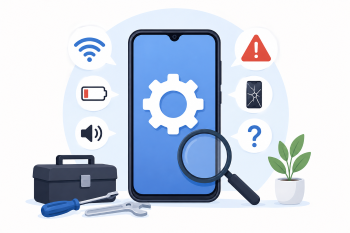
Use AI tools and step-by-step guided activities to help adult migrant learners solve common mobile phone problems independently, building digital confidence and self-sufficiency.
DigCompEdu Competence Area(s)
Digital resources, Empowering learners, Facilitating learners’ digital competence
Time
Preparation time 20 minutes
Implementation time 60 minutes
Educator Progression Level
Explorer
Target groups
Adult migrants with low digital literacy A1 – B1 language level
Minimum student digital skill level
Basic
Minimum student language level
A1
🎓 Learning Objectives
Students will be able to:
- Identify and describe common mobile phone problems in the target language.
- Use AI tools (e.g. ChatGPT) to find step-by-step solutions to phone issues.
- Follow simple troubleshooting instructions independently.
- Build confidence in using digital devices and seeking help online..
Ingredients
| Item / Resource | Quantity | Purpose |
|---|---|---|
| Smartphones (learners’ own devices) | 1 per learner | For hands-on troubleshooting practice |
| ChatGPT or AI assistant | 1 per learner or shared | To find troubleshooting solutions |
| Troubleshooting scenario cards | 1 set per group | Describe common phone problems for practice |
| Simple visual guide / step-by-step handout | 1 per learner | Reference for common solutions |
Utensils
- Smartphones (learners’ own or classroom devices)
- Internet access
- Printed scenario cards with common phone problems
🥣 Preparation – Before Implementation
- Prepare a set of scenario cards describing common phone problems (e.g. “My phone battery drains quickly”, “I cannot connect to Wi-Fi”, “My phone is running slowly”).
- Test each scenario with ChatGPT to ensure clear, accessible solutions are generated.
- Prepare a simple visual handout with the most common solutions.
- Ensure all devices are charged and connected to the internet.
🔥 Implementation Steps
- Warm-up: Ask learners “What phone problems have you had?” Collect vocabulary on the board.
- Introduce ChatGPT: Show how to type a simple question about a phone problem.
- Demonstrate with one scenario: “My phone battery drains quickly. What can I do?” Show how to read and follow the AI response.
- Learners work in pairs with scenario cards: each pair picks a card and uses ChatGPT to find a solution.
- Pairs share their solution with the class in simple language.
- Whole-class practice: Try one solution on a real device (e.g. reduce screen brightness).
- Debrief: Discuss which solutions were helpful and how to evaluate AI advice.
🧂 Differentiation & Inclusion
- For very low digital literacy: Use picture-based scenario cards and demonstrate each step on a projected screen.
- For more advanced learners: Ask them to write a short guide for a classmate based on what they learned.
- For learners with language barriers: Allow use of translation tools alongside ChatGPT.
🍴 Assessment & Feedback
| Criterion | Excellent | Good | Needs Work |
| Problem identification | Clearly describes the phone problem in the target language | Describes the problem with some support | Struggles to describe the problem without significant help |
| Use of AI tool | Uses ChatGPT independently to find and follow a solution | Uses the tool with some guidance | Requires significant support to use the AI tool |
| Solution application | Successfully applies the solution to a real or simulated device | Partially applies the solution | Unable to apply the solution without full teacher support |
⚠️ Ethics, Privacy & Safeguarding
- Do not ask learners to enter personal device passwords or account details during the session.
- Remind learners that AI advice should be verified before making changes to their devices.
- Ensure learners understand that AI tools can sometimes give incorrect information.
- Respect learners’ privacy regarding their personal devices and data.
🍱 Extensions / Follow‑Ups
- Create a class “Phone Help Guide” with solutions to common problems, written by learners.
- Invite learners to bring a real phone problem to the next session for group problem-solving.
🔗 Cross‑Subject Link
- Extend to computer troubleshooting using the same AI-assisted approach.
References & Resources
ChatGPT: https://chat.openai.com
Google Support: https://support.google.com
DigComp Framework: https://joint-research-centre.ec.europa.eu/digcomp_en