
Creating Instant Worksheets and Exercises
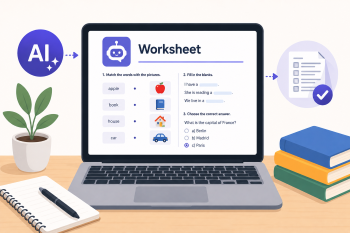
A hands-on tutorial for educators to use a simple AI chatbot to quickly generate customized vocabulary lists, gap-fill exercises, and reading comprehension questions.
DigCompEdu Competence Area(s)
Digital resources, Teaching & learning
Time
Preparation time 5 minutes
Implementation time 60 minutes
Educator Progression Level
Explorer
Target groups
Teacher Training, ESOL
Minimum student digital skill level
Basic
Minimum student language level
A1
🎓 Learning Objectives
Educators will be able to:
- Formulate a basic prompt to generate a relevant vocabulary list.
- Create a customized gap-fill exercise using an AI chatbot.
- Generate simple reading comprehension questions from a provided text
Ingredients
| Item / Resource | Quantity | Purpose |
|---|---|---|
| AI tool(s) (e.g., ChatGPT) | 1 per person | Core content creation tool |
| Content materials (Sample text) | 1 per person | Base for exercises |
Utensils
- Devices: One laptop or tablet per educator.
- Internet: Stable Wi-Fi.
- AI Tool Access: Access to a free AI chatbot (e.g., ChatGPT, Microsoft Copilot).
- Display: Projector for demonstration.
🥣 Preparation – Before Implementation
- Topic Selection: Choose a simple, engaging topic relevant to your learners (e.g., “Going to the Doctor,” “Daily Routine”).
- Demo Text: Prepare a short, simple paragraph (4-5 sentences) on that topic to use as a demonstration text.
- Prompt Handout: Create a handout with 3-4 example prompts for creating different exercise types.
🔥 Implementation Steps
- Introduction & Demo (15 mins):
- Briefly introduce the AI tool and its potential for rapid content generation.
- Demonstrate the power of a specific prompt for vocabulary generation.
- Sample Prompt 1 (Vocabulary): “Generate a list of 10 essential nouns and verbs for the topic ‘going to the doctor’ for A2 English learners. Put them in a table with a simple definition.”
- Show the generated result and how it can be easily copied for use.
- Guided Practice – Gap-Fill (20 mins):
- Provide the prepared sample text to educators.
- Guide educators to write a prompt to create a gap-fill exercise.
- Sample Prompt 2 (Gap-Fill): “Take the following text: ‘[PASTE TEXT HERE]’. Create a gap-fill exercise by removing 5 key verbs. Provide a separate answer key.”
- Educators practice this task with support from the facilitator.
- Guided Practice – Comprehension (20 mins):
- Educators use the same text to generate comprehension questions.
- Sample Prompt 3 (Comprehension): “Write 3 simple reading comprehension questions based on this text: ‘[PASTE TEXT HERE]’.”
- Encourage them to experiment with different question types (e.g., True/False, Wh- questions).
- Wrap-up & Share (5 mins):
- Educators share one exercise they created with the group.
- Discuss how this method can save planning time.
- Important Tip: Emphasize that the educator must always review and edit the AI-generated content for accuracy and appropriateness before using it in class.
🧂 Differentiation & Inclusion
- For educators feeling overwhelmed: Provide a printed list of pre-written prompts they can simply copy and paste.
- For more confident users: Challenge them to create a multi-activity worksheet from a single text or explore advanced prompting techniques.
🍴 Assessment & Feedback
| Criterion | Excellent | Good | Needs Work |
| Prompt Crafting | Creates clear, effective prompts independently | Creates prompts with minor guidance | Struggles to formulate a working prompt |
| Exercise Generation | Successfully generates 2+ usable exercise types | Generates one usable exercise type | Generated content is not fit for purpose |
⚠️ Ethics, Privacy & Safeguarding
- Data Privacy: Use only the free version of chatbots to avoid data privacy issues associated with paid accounts that might retain user data.
- Accuracy & Bias: Always fact-check and proofread AI-generated content – it can contain errors or biases. The educator remains responsible for the accuracy of materials.
🍱 Extensions / Follow‑Ups
- Prompt Bank: Create a shared bank of successful prompts in a Google Doc or similar platform for all staff.
- Differentiation: Explore using AI to differentiate the same worksheet for various language levels.
- Advanced Features: Investigate other AI features for content creation, such as generating dialogues or summaries.
🔗 Cross‑Subject Link
References & Resources
ChatGPT: chat.openai.com – The AI tool used in the session.
British Council TeachingEnglish: teachingenglish.org.uk—For ideas on exercise types.