
Translating Important Documents
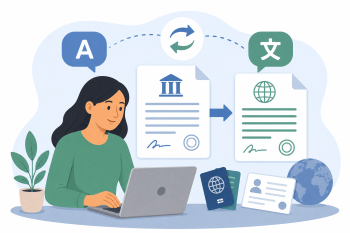
Use AI translation tools to help adult migrant learners understand and navigate official documents such as letters from authorities, contracts, and forms.
DigCompEdu Competence Area(s)
Digital resources, Empowering learners, Facilitating learners’ digital competence
Time
Preparation time 15 minutes
Implementation time 60 minutes
Educator Progression Level
Explorer
Target groups
Adult migrants Low to intermediate language level – A1 to B1
Minimum student digital skill level
Basic
Minimum student language level
A1
🎓 Learning Objectives
Students will be able to:
- Use AI translation tools (e.g. DeepL, Google Translate) to translate official documents.
- Identify key information in translated documents (dates, amounts, required actions).
- Evaluate the accuracy of AI translations and know when to seek professional help.
- Build confidence in navigating official correspondence independently.
Ingredients
| Item / Resource | Quantity | Purpose |
|---|---|---|
| Sample official documents (anonymised) | 1-3 per session | Practice material for translation activities |
| DeepL or Google Translate | 1 per learner | AI translation tool |
| Device with internet access | 1 per learner | To access translation tools |
| Vocabulary list of key official terms | 1 per learner | Reference for common bureaucratic language |
Utensils
Smartphone, tablet, or computer with internet access
DeepL (https://www.deepl.com) or Google Translate
Printed or digital sample documents
🥣 Preparation – Before Implementation
- Collect 2-3 sample official documents (fully anonymised) relevant to learners’ lives (e.g. utility bill, appointment letter, registration form).
- Test the documents with DeepL and Google Translate to identify any translation issues.
- Prepare a vocabulary list of key terms that commonly appear in official documents.
- Prepare discussion questions about what action the document requires.
🔥 Implementation Steps
- Warm-up: Show a sample official letter and ask “Have you received a letter like this? What did you do?”
- Introduce DeepL: Demonstrate how to copy and paste text or upload a document for translation.
- Learners translate the sample document using DeepL or Google Translate.
- Discuss the translation together: What does the document say? What action is required? By when?
- Compare DeepL and Google Translate outputs: Which is clearer? Are there any errors?
- Practice identifying key information: sender, date, deadline, required action.
- Discuss when AI translation is sufficient and when a certified translator is needed.
🧂 Differentiation & Inclusion
- For beginners: Focus on identifying key words and numbers rather than full translation.
- For advanced learners: Ask them to back-translate the AI output to check accuracy.
- For learners with low literacy: Use the text-to-speech feature in Google Translate for audio output.
🍴 Assessment & Feedback
| Criterion | Excellent | Good | Needs Work |
| Translation accuracy evaluation | Correctly identifies errors and evaluates translation quality | Identifies most errors with some support | Struggles to evaluate translation quality |
| Key information extraction | Accurately identifies all key information (sender, date, action required) | Identifies most key information with minor gaps | Struggles to identify key information from the document |
| Independent tool use | Uses translation tools independently and confidently | Uses tools with some guidance | Requires significant support to use translation tools |
⚠️ Ethics, Privacy & Safeguarding
- Never upload real documents containing personal data (names, addresses, ID numbers) to AI tools.
- Always use fully anonymised sample documents for classroom activities.
- Remind learners that AI translations are not legally binding and may contain errors.
- Advise learners to seek certified translation for legal or official purposes.
🍱 Extensions / Follow‑Ups
- Create a class guide to common official documents and how to respond to them.
- Invite a local authority representative to explain common document types.
- Practice writing a simple response letter using AI assistance.
🔗 Cross‑Subject Link
References & Resources
DeepL Translator: https://www.deepl.com
Google Translate: https://translate.google.com