
AI as a Creative Partner – Exploring AI in Music-Making
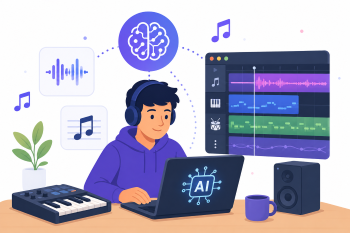
A focused workshop for music educators on using Moises and BandLab to decompose existing music tracks, enabling students to interactively learn, remix, and create by replacing or modifying isolated elements like vocals and drums.
DigCompEdu Competence Area(s)
Digital resources, Teaching & learning, Empowering learners
Time
Preparation time 45 minutes
Implementation time 90 minutes
Educator Progression Level
Explorer
Target groups
Music educators and their students Any language level – A1 to C2
Minimum student digital skill level
Basic
Minimum student language level
A1
🎓 Learning Objectives
Participants (music educators) will be able to:
- Use Moises to upload a song and separate its stems (vocals, drums, bass, other instruments) to create a customised backing track.
- Use BandLab to import separated stems and guide students in a creative workflow to mute, replace, or record over specific parts.
- Design a simple, structured creative project brief that uses these tools to teach core musical concepts while keeping student performance at the centre.
Ingredients
| Item / Resource | Quantity | Purpose |
|---|---|---|
| Moises.ai account (free or paid) | 1 per educator | To separate music stems from uploaded songs |
| BandLab account (free) | 1 per participant | To import stems and create/remix music |
| Laptop or computer per participant | 1 per participant | For file management and tool access |
| Headphones | 1 per participant | Essential for audio review |
| Copyright-free MP3 audio files (60 sec) | 2-3 per session | Sample songs for the stem separation demo |
| Royalty-free loops pack (5-10 loops) | 1 per session | For students to use in their remixes |
Utensils
- Laptop or computer (tablets can work but laptops are ideal for file management)
- Stable, high-speed internet connection
- Headphones for each participant
🥣 Preparation – Before Implementation
- Master the core workflow in both tools: In Moises – upload, separate (4-stem), download stems. In BandLab – create project, import stems, use the mixer, add new tracks.
- Obtain 2-3 short (60-second) MP3s of songs that are copyright-free, under Creative Commons licence, or owned by you.
- Prepare the “Creative Project Brief” including: Learning Objective, Source Song, Student Task, Success Criteria, and links to helpful tutorials.
- Gather a small, high-quality pack of 5-10 royalty-free loops that fit the genre of your sample songs.
🔥 Implementation Steps
- Part 1 – Philosophy & Introduction (30 min): Frame AI tools as “the ultimate practice room or sound engineer” – they unlock existing songs for hands-on learning, not replace creativity.
- Tool Demo – Moises (The Isolator): Live demo – upload a sample song, show AI separating it into stems, solo and mute the vocal stem, download the separated tracks.
- Tool Demo – BandLab (The Studio): Show how to import the Moises stems, mute the drum track, import a replacement loop, and adjust levels in the mixer.
- Part 2 – Hands-On Practice (60 min): Participants work through the workflow themselves using the prepared sample songs and project brief.
- Participants create their own version by replacing or modifying at least one stem.
- Groups share their creations and reflect on the creative decisions made.
🧂 Differentiation & Inclusion
- For beginners: Focus only on Moises stem separation and muting; skip BandLab in the first session.
- For advanced participants: Challenge them to record a live instrument or vocal over the backing track.
- For mixed groups: Pair more tech-confident participants with beginners for peer support.
🍴 Assessment & Feedback
| Criterion | Excellent | Good | Needs Work |
| Technical workflow completion | Successfully completes full Moises and BandLab workflow independently | Completes most steps with minor support needed | Requires significant support to complete the workflow |
| Creative decision-making | Makes intentional, musically informed choices about which stems to modify | Makes some creative choices with guidance | Follows instructions without independent creative decisions |
| Project brief quality | Project brief is clear, structured, and immediately usable in class | Brief is mostly clear with minor gaps | Brief is incomplete or lacks clear learning objectives |
⚠️ Ethics, Privacy & Safeguarding
- Only use copyright-free, Creative Commons, or self-owned audio files to avoid copyright infringement.
- Ensure school policies allow use of AI-powered music tools.
- Be transparent with students about the role of AI in the creative process.
- Review generated or remixed content for appropriateness before classroom sharing
🍱 Extensions / Follow‑Ups
- Students create a full remix project using multiple stems and loops.
- Explore other AI music tools such as Suno or Udio for composition from scratch.
🔗 Cross‑Subject Link
- Use the workflow for language learning: replace vocals with learner recordings for pronunciation practice.
References & Resources
Moises AI: https://moises.ai
BandLab: https://www.bandlab.com
Creative Commons Music: https://creativecommons.org/about/program-areas/arts-culture/arts-culture-resources/legalmusicforvideos/