
Interview Confidence with AI
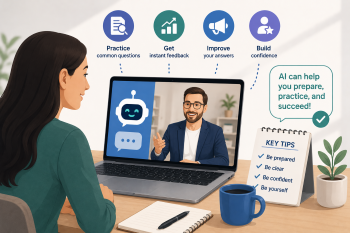
A guided, practical session where learners use an AI chatbot to generate, refine, and practice common interview questions and answers.
DigCompEdu Competence Area(s)
Digital resources, Teaching & learning, Empowering learners, Facilitating learners’ digital competence
Time
Preparation time 25 minutes
Implementation time 78 minutes
Educator Progression Level
Pioneer
Target groups
ESOL | Life Skills, Employability
Minimum student digital skill level
Basic
Minimum student language level
A2
🎓 Learning Objectives
Students will be able to:
- Identify common interview questions for a target job.
- Use a chatbot to generate a model answer to an interview question.
- Adapt and personalize a model answer using their own experience.
- Practice delivering an interview answer with a partner.
Ingredients
| Item / Resource | Quantity | Purpose |
|---|---|---|
| AI tool(s) (e.g., ChatGPT) | 1 per pair | Core tool for Q&A generation |
| Content materials (Sample CV/Job Advert) | 1 per pair | Context for interview practice |
| Physical materials (paper, markers) | 1 set | For group brainstorming |
| Online platforms / LMS | Optional | For sharing links & resources |
Utensils
- Devices: One laptop, tablet, or smartphone per pair of learners.
- Internet: Stable Wi-Fi connection.
- AI Tool Access: Access to a free AI chatbot (e.g., ChatGPT, Microsoft Copilot, Google Gemini).
- Display: Projector and screen for educator demonstration.
🥣 Preparation – Before Implementation
- Job Advertisement Selection: Select a simple, generic job advertisement relevant to your learners (e.g., retail assistant, warehouse operative, cleaner).
- AI Chatbot Bookmark: Prepare a demonstration by bookmarking the chosen AI chatbot on the main computer.
- Answer Structure Handout: Create a handout with key phrases for structuring answers (e.g., “In my previous role…”, “I am good at…”, “An example of this is when I…”).
🔥 Implementation Steps
- Introduction & Context (15 mins): Discuss the job interview process. Brainstorm common interview questions as a group and write them on the board (e.g., “Tell me about yourself,” “What are your strengths?”). Introduce the target job and CV.
- Chatbot Demonstration (15 mins): Demonstrate how to use the chatbot with a clear, structured prompt. Sample Prompt: “You are a friendly careers advisor. Please generate 5 common interview questions for a [Job Title] role, and provide a clear, simple model answer for one of them, suitable for an English language learner.” Show learners how to copy the response.
- Guided Practice (30 mins): In pairs, learners access the chatbot. They first practice generating questions for their chosen or the target job. Then, they ask the chatbot for a model answer to one question. The educator circulates to provide technical and linguistic support.
- Personalization & Practice (25 mins): Pairs read the model answer and work together to adapt it using their own real or imagined skills and experiences. They write a short, personalized script. Finally, they practice saying their answer aloud to their partner, focusing on clear pronunciation.
- Wrap-up & Sharing (5 mins): Ask for volunteers to share one thing they learned or one question they feel more confident answering. Reinforce the idea that the chatbot is a practice tool, not a source of answers to be memorized. Tip: Check for understanding after the demonstration by asking learners to explain the prompt back to you in their own words.
🧂 Differentiation & Inclusion
- For lower levels (A2): Provide sentence starters and a bank of useful vocabulary. They can work on simpler questions like “Tell me about yourself.”
- For higher levels (B1/B2): Encourage them to ask the chatbot for follow-up questions or to critique an answer.
- Accessibility: Ensure all instructions are given verbally and visually (on the board/handout).
- Peer Support: Pair learners strategically to support peer learning.
🍴 Assessment & Feedback
| Criterion | Excellent | Good | Needs Work |
| Use of AI Tool | Independently used chatbot to generate and adapt answers | With some support | With significant guidance |
| Answer Personalization | Effectively personalized the model answer with relevant details | Partially personalized | Copied original model |
| Clarity of Spoken Answer | Clear pronunciation and confidence | Mostly clear with a few hesitations | Difficult to understand |
⚠️ Ethics, Privacy & Safeguarding
- Data Privacy: Discuss data privacy: advise learners not to share any sensitive personal information (e.g., full name, address, passport number) with the free version of the chatbot.
- AI Bias: Discuss AI bias: explain that chatbots can reflect biases and the answers are generic. The goal is to use them for ideas and structure, not as an absolute truth.
🍱 Extensions / Follow‑Ups
Homework: Learners use the chatbot to prepare answers for two more questions and bring them to the next class.
🔗 Cross‑Subject Link
Combine with a lesson on writing a CV or a cover letter, using the chatbot to generate first drafts or identify key skills from a job description.
References & Resources
LinkedIn Career Explorer: linkedin.github.io/career-explorer/ – Suggests local upskilling pathways.
Google Interview Warmup: Cloud Skills Boost. google/interview_warmup – Interview prep tool with real-time feedback.
LinkedIn Interview Preparation Tool: opportunity.linkedin.com/prepare-for-interview – LinkedIn’s built-in interview preparation tool.