
Using AI for Real-World Role-Plays
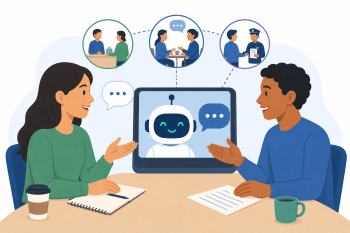
Educators learn to use AI chatbots to generate and simulate authentic, dynamic conversation scenarios for learners to practice, moving beyond simple phrase translation.
DigCompEdu Competence Area(s)
Digital resources, Teaching & learning, Empowering learners, Facilitating learners’ digital competence
Time
Preparation time 10 minutes
Implementation time 75 minutes
Educator Progression Level
Explorer
Target groups
Any
Minimum student digital skill level
None
Minimum student language level
A1
🎓 Learning Objectives
Educators will be able to:
- Craft a prompt that generates a realistic dialogue for a specific scenario.
- Use a chatbot to role-play one side of a conversation, adapting to user input.
- Identify how this technique can support differentiation and personalization.
Ingredients
| Item / Resource | Quantity | Purpose |
|---|---|---|
| AI tool(s) (e.g., ChatGPT, Claude) | 1 per person | Role-play partner & script generator |
| Content materials (Scenario cards) | 1 set | Ideas for role-plays |
Utensils
- Devices: One laptop or tablet per educator.
- Internet: Stable Wi-Fi.
- AI Tool Access: Access to a free, conversational AI chatbot.
🥣 Preparation – Before Implementation
- Scenario Cards: Prepare a set of “scenario cards” with relevant situations (e.g., “Calling a landlord to report a leak,” “Asking for a day off work,” “Complaining about a faulty product in a shop”).
- Tool Familiarization: Test the role-play functionality of your chosen AI tool beforehand to ensure smooth demonstration.
🔥 Implementation Steps
1. Introduction & Demo (15 mins):
- Demonstrate the difference between a simple translation tool and a conversational AI. Highlight how AI can simulate dynamic interactions.
- Show how to set up a role-play scenario within the AI chatbot.
- Sample Prompt 1 (Dialogue Generation): “Write a short, simple dialogue between a customer and a shop assistant. The customer is returning a faulty toaster. Use A2-level English.”
2. Live Role-Play Demonstration (15 mins):
- Show the powerful follow-up step: making the AI act as one participant in the dialogue.
- Sample Prompt 2 (Live Role-Play): “You are the shop assistant in the dialogue you just generated. I will be the customer. Respond to me appropriately. Keep your responses short and clear for an A2 learner.”
- Conduct a live text-based conversation with the AI to illustrate its interactive capabilities.
3. Guided Practice (30 mins):
- Educators select a scenario card and first generate a dialogue using the AI.
- Then, they practice the live role-play with the AI, taking turns being the learner and observing the AI’s responses.
4. Discussion & Application (15 mins):
- Educators discuss: How could this be used in class? (e.g., for homework practice, for generating model dialogues, for one-on-one support).
- Brainstorm a list of other useful scenarios relevant to adult migrants.
- Tip: Show educators how to add constraints to the prompt, such as “Use only the present simple tense” or “Include phrases for being polite.”
🧂 Differentiation & Inclusion
- For less confident educators: Provide simpler, more concrete scenarios (e.g., “Ordering a coffee”) and pre-written prompts.
- For advanced users: Introduce the concept of asking the AI to correct the learner’s grammar during the role-play, or to provide feedback on pronunciation if using voice-based AI.
🍴 Assessment & Feedback
| Criterion | Excellent | Good | Needs Work |
| Scenario Generation | Creates a realistic, level-appropriate dialogue | Creates a basic, usable dialogue | Struggles to formulate a coherent scenario |
| Live Role-Play Setup | Successfully instructs AI to act as a character and engages in a conversation | Sets up the role-play but interaction is limited | Cannot set up the interactive role-play feature |
⚠️ Ethics, Privacy & Safeguarding
- Learner Anonymity: Remind educators that learners should use nicknames and avoid sharing personal details during AI role-plays.
- Unexpected Responses: The AI might generate unexpected or inappropriate responses; learners should be advised to stop if they feel uncomfortable and report it to the educator.
- Educator Oversight: Emphasize that the AI is a tool for practice, and the educator’s guidance and feedback remain crucial.
🍱 Extensions / Follow‑Ups
- Prompt Bank: Create a shared bank of pre-tested role-play prompts for common scenarios.
- Voice-Based AI: Explore voice-based AI assistants for speaking and pronunciation practice, adding another dimension to role-playing.
- Advanced Scenarios: Challenge educators to create multi-turn, complex role-plays that require more nuanced language and problem-solving.
🔗 Cross‑Subject Link
References & Resources
Claude: claude.ai – Often excellent at following complex role-play instructions.
ChatGPT: chat.openai.com – Widely accessible and effective for this purpose