
Brug af AI til rollespil i den virkelige verden
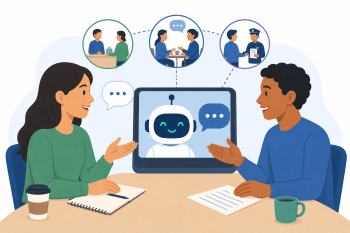
Undervisere lærer at bruge AI-chatbots til at generere og simulere autentiske, dynamiske samtalescenarier, som kursisterne kan øve sig i, og som går ud over simpel oversættelse af sætninger.
DIGCOMPEDU KOMPETENCEOMRÅDE(R)
Digitale ressourcer, Undervisning og læring, Styrkelse af kursister, Fremme af kursisters digitale kompetence
Tid
Forberedelse: 10 min
Implementering: 75 min
Underviserens progressionsniveau
Udforsker
Målgruppe
Alle kursister med migrantbaggrund
MINIMUM DIGITAL FÆRDIGHEDSNIVEAU FOR KURSISTER
Grundlæggende
MINIMUM KURSISTENS SPROGNIVEAU
A1
🎓 Læringsmål
Læringsmål:
- Lav en prompt, der genererer en realistisk dialog til et specifikt scenarie.
- Brug en chatbot til at rollespille den ene side af en samtale og tilpasse brugerens input.
- Identificér hvordan denne teknik kan understøtte differentiering og personalisering.
Ingredienser
| Ressource | Mængde | Formål |
|---|---|---|
| AI-værktøj(er) (fx ChatGPT, Claude) | 1 pr. person | Rollespilspartner og manuskript-generator |
| Indholds-materialer (scenariekort) | 1 sæt | Idéer til rollespil |
🔧 Redskaber
- Enheder: Én bærbar computer eller tablet pr. underviser.
- Internet: Stabil Wi-Fi.
- Adgang til AI-værktøjer: Adgang til en gratis, samtalebaseret AI-chatbot.
🥣 Forberedelse – før gennemførslen
- 1. Scenariekort: Forbered et sæt "scenariekort" med relevante situationer (fx "At ringe til en udlejer for at rapportere en lækage", "At bede om fri fra arbejde", "At klage over et defekt produkt i en butik").
- 2. Værktøjskendskab: Test rollespilsfunktionaliteten i dit valgte AI-værktøj på forhånd for at sikre en problemfri demonstration.
🔥 Trin i klassen/online
Introduktion og demonstration (15 min):
- 1. Demonstrer forskellen mellem et simpelt oversættelsesværktøj og en samtalebaseret AI. Fremhæv, hvordan AI kan simulere dynamiske interaktioner.
- 2. Vis, hvordan man opsætter et rollespilsscenarie i AI-chatbotten.
- Eksempel (dialoggenerering): "Skriv en kort, simpel dialog mellem en kunde og en butiksassistent. Kunden returnerer en defekt brødrister. Brug dansk på A2-niveau."
Demonstration af live rollespil (15 min):
- 3. Vis det effektive opfølgningstrin: at få AI'en til at fungere som én deltager i dialogen.
- Eksempel (live rollespil): "Du er butiksassistenten i den dialog, du lige har genereret. Jeg vil være kunden. Svar mig passende. Hold dine svar korte og klare for en A2-kursist."
- 4. Gennemfør en live tekstbaseret samtale med AI'en for at illustrere dens interaktive muligheder.
Guidet øvelse (30 min):
- 5. Underviserne vælger et scenariekort og genererer først en dialog ved hjælp af AI'en.
- 6. Derefter øver de sig på det levende rollespil med AI'en, hvor de skiftes til at være lærende og observere AI'ens svar.
Diskussion og anvendelse (15 min):
- 7. Underviserne diskuterer: Hvordan kan dette bruges i klassen? (fx til lektieøvelser, til at generere modeldialoger, til en-til-en-støtte).
- 8. Brainstorm en liste over andre nyttige scenarier, der er relevante for voksne migranter.
- Tip: Vis undervisere, hvordan man tilføjer begrænsninger til prompten, fx "Brug kun nutid" eller "Inkluder sætninger til at være høflig".
🧂 Differentiering og inklusion
- For mindre selvsikre undervisere: Giv enklere, mere konkrete scenarier (fx "Bestilling af kaffe") og præskrevne prompts.
- For avancerede brugere: Introducer konceptet med at bede AI'en om at rette kursistens grammatik under rollespillet, eller om at give feedback på udtalen, hvis man bruger stemmebaseret AI.
🥄 Vurdering og feedback
| Kriterier | Fremragende | God | Behøver arbejde |
| Scenariegenerering | Skaber en realistisk, niveautilpasset dialog | Skaber en grundlæggende, brugbar dialog | Kæmper med at formulere et sammenhængende scenarie |
| Opsætning af live rollespil | Instruerer succesfuldt AI til at agere som en karakter og deltager i en samtale | Opretter rollespillet, men interaktionen er begrænset | Kan ikke konfigurere den interaktive rollespilsfunktion |
⚠️ Etik, privatliv og beskyttelse
- Kursisternes anonymitet: Mind undervisere om, at kursisterne bør bruge andre navne og undgå at dele personlige oplysninger under AI-rollespil.
- Uventede svar: AI’en kan generere uventede eller upassende svar; deltagerne bør opfordres til at stoppe, hvis de føler sig ubehagelige ved det, og indberette det til underviseren.
- Underviserens tilsyn: Understreg, at AI’en er et værktøj til øvelse, og at underviserens vejledning og feedback fortsat er af afgørende betydning.
🍱 Udvidelser/opfølgninger
- Opgavebank: Opret en fælles bank med prætestede rollespilsopgaver til almindelige scenarier.
- Stemmebaseret AI: Udforsk stemmebaserede AI-assistenter til tale- og udtaleøvelse, og tilføj en ekstra dimension til rollespil.
- Avancerede scenarier: Udfordr undervisere til at skabe komplekse rollespil med flere ture, der kræver mere nuanceret sprog og problemløsning.
🔗 Brug AI på tværs af fag
📚 Referencer og ressourcer
Claude: claude.ai Ofte fremragende til at følge komplekse rollespilsinstruktioner.
ChatGPT: chat.openai.com Bredt tilgængelig og effektiv til dette formål.