
Using AI to Create Community Information Handouts
Use AI tools to design clear, multilingual community information handouts that help adult migrants access local services and navigate everyday life in their host country.
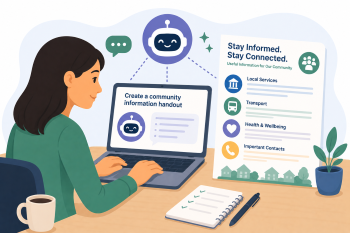
Τομέας(-είς) ικανοτήτων DigCompEdu
Digital resources, Teaching & learning, Empowering learners
Χρόνος
Χρόνος προετοιμασίας: 20 λεπτά
Χρόνος υλοποίησης: 45–60 λεπτά
Επίπεδο Εξέλιξης Εκπαιδευτικού
Εξερευνητής
Ομάδες-στόχοι
Adult migrants and community educators A1 – B1 language level
Ελάχιστο επίπεδο ψηφιακών δεξιοτήτων των μαθητών
Βασικό
Ελάχιστο επίπεδο γλωσσομάθειας του μαθητή
A1
🎓 Μαθησιακοί Στόχοι
Οι εκπαιδευόμενοι θα είναι σε θέση να:
- Use AI tools (e.g. ChatGPT, Canva) to create clear, accessible community information handouts.
- Write simple, plain-language text appropriate for low-literacy audiences.
- Include multilingual content to support diverse community members.
- Design visually clear handouts using AI-assisted layout tools.
Συστατικά
| Είδος / Πόρος | Ποσότητα | Σκοπός |
|---|---|---|
| ChatGPT (free or paid) | 1 per educator | To generate plain-language text for the handout |
| Canva (free version) | 1 per educator | To design the visual layout of the handout |
| Local service information (e.g. GP surgery, food bank) | 1 topic per session | Content source for the handout |
| Device with internet access | 1 per educator | To access AI and design tools |
Εξοπλισμός
- Computer or tablet with internet access
- ChatGPT account (free version sufficient)
- Canva account (free version sufficient)
🥣 Προετοιμασία – Πριν από την υλοποίηση
- Choose a local service or topic relevant to learners (e.g. registering with a GP, accessing food banks, local transport).
- Gather accurate, up-to-date information about the service (address, opening hours, contact details).
- Prepare a ChatGPT prompt to generate plain-language text: “Write a simple A1-level explanation of how to register with a GP in [city].”
- Open Canva and select a simple flyer or information sheet template.
🔥 Βήματα υλοποίησης
- Introduce the topic: “What information do new arrivals need most?” Collect ideas from learners.
- Use ChatGPT to generate plain-language text for the chosen topic.
- Review and edit the AI-generated text together as a class.
- Open Canva and select a simple template. Paste the text into the design.
- Add visuals: icons, photos, or illustrations that support comprehension.
- Add multilingual content: use DeepL or Google Translate to add key phrases in learners’ home languages.
- Print or share the finished handout digitally.
🧂 Διαφοροποίηση και Συμπερίληψη
- For beginners: Focus on one key piece of information per handout (e.g. just the address and phone number).
- For advanced learners: Ask them to write the text independently before comparing with AI output.
- For multilingual groups: Include key information in multiple languages on the same handout.
🍴 Αξιολόγηση και ανατροφοδότηση
| Κριτήριο | Έξοχα | Καλά | Χρειάζεται δουλειά |
| Clarity of text | Text is fully accessible, plain-language, and appropriate for A1-A2 level | Text is mostly clear with minor complexity issues | Text is too complex or unclear for the target audience |
| Visual design | Handout is visually clear, well-organised, and uses appropriate visuals | Design is mostly clear with minor layout issues | Design is cluttered or visuals are confusing |
| Accuracy of information | All information is accurate and up-to-date | Most information is accurate with minor gaps | Information contains errors or is out of date |
⚠️ Ηθική, Ιδιωτικότητα & Διασφάλιση Προστασίας
- Verify all service information independently before distributing handouts.
- Do not include personal data about learners or service users in handouts.
- Ensure AI-generated text is reviewed for accuracy before distribution.
- Be aware that AI may produce culturally insensitive content; always review before use.
🍱 Επεκτάσεις / Συνέχειες
- Build a class library of community information handouts on different topics.
- Share handouts with local community organisations and migrant support groups.
- Ask learners to identify a gap in local information and create a new handout to fill it.
🔗 Σύνδεση μεταξύ γνωστικών αντικειμένων
Αναφορές και Πηγές
ChatGPT: https://chat.openai.com
Canva: https://www.canva.com
DeepL Translator: https://www.deepl.com